This example is a JavaScript equivalent of HelloImagesExample.cpp.
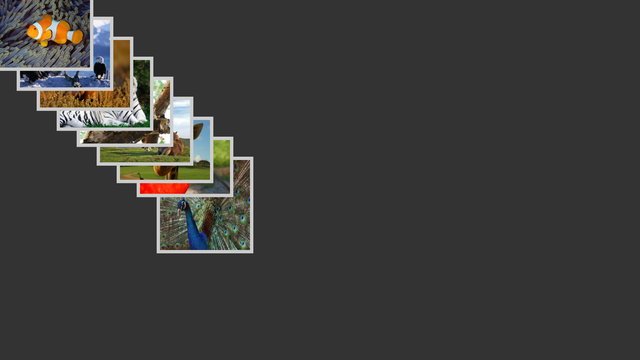
Screenshot of the HelloImages example
We don't have to initialize an instance of an Application ourselves, because it is initialized automatically for Cornerstone's JavaScript environment. It can be accessed by $.app. First we parse command line arguments using attributes.
var dirpath = new Valuable.AttributeString($.app, "dir");
var maxImages = new Valuable.AttributeInt($.app, "max-images", -1);
$.app.updateCmdArguments();
After this the images of the given directory are returned via a Directory-object. We also check whether there will be any images to load and decide how many images to show based on the given command line parameters. Error-message is printed if there is not any images in the given directory.
var directory = Radiant.Directory.findByMimePattern(dirpath.asString(), "image/*");
if (directory.count() == 0) {
Radiant.error("There are no image files in directory \"%s\"\n" +
"Please use --dir option to specify directory",
dirpath.asString());
MultiWidgets.Application.quit();
}
var max = directory.count();
if (maxImages.asInt() >= 0) max = Math.min(max, maxImages.asInt());
Finally we generate ImageWidgets for each image to be shown. We use $.numRange instead of normal for-loop.
If file can't be loaded we print an error-message. Otherwise the image is added to the scene. Note that it is possible to use eventAddListener with JavaScript-functions.
$.numRange(0, max).forEach(function(i) {
var name = directory.fileNameWithPath(i);
var w = new MultiWidgets.ImageWidget();
if(w.load(name)) {
w.setLocation(new Nimble.Vector2f(i * imagestep, i * imagestep));
w.addOperator(new MultiWidgets.StayInsideParentOperator());
w.resizeToFit(new Nimble.SizeF(imagesize,imagesize));
$.app.mainLayer().addChild(w);
} else {
Radiant.error("Could not load image file \"%s\"",name);
}
});
The full source code is shown below:
var dirpath = new Valuable.AttributeString($.app, "dir");
var maxImages = new Valuable.AttributeInt($.app, "max-images", -1);
$.app.updateCmdArguments();
var directory = Radiant.Directory.findByMimePattern(dirpath.asString(), "image/*");
if (directory.count() == 0) {
Radiant.error("There are no image files in directory \"%s\"\n" +
"Please use --dir option to specify directory",
dirpath.asString());
MultiWidgets.Application.quit();
}
var max = directory.count();
if (maxImages.asInt() >= 0) max = Math.min(max, maxImages.asInt());
var imagestep = $.app.mainLayer().size().minimum() * 0.50 / directory.count();
var imagesize = $.app.mainLayer().size().minimum() * 0.25;
$.numRange(0, max).forEach(function(i) {
var name = directory.fileNameWithPath(i);
var w = new MultiWidgets.ImageWidget();
if(w.load(name)) {
w.setLocation(new Nimble.Vector2f(i * imagestep, i * imagestep));
w.addOperator(new MultiWidgets.StayInsideParentOperator());
w.resizeToFit(new Nimble.SizeF(imagesize,imagesize));
$.app.mainLayer().addChild(w);
} else {
Radiant.error("Could not load image file \"%s\"",name);
}
});

