The CustomInputWidgetExample.cpp demonstrated how to add custom input handling in a widget. In this tutorial, we will demonstrate how to override the default rectangular shape of a widget by implementing custom rendering. The end result will be a round, donut-shaped widget with a hole in the middle. We will also override the containment test for the widget so that fingers not actually touching the displayed shape of the widget will have no effect on it.
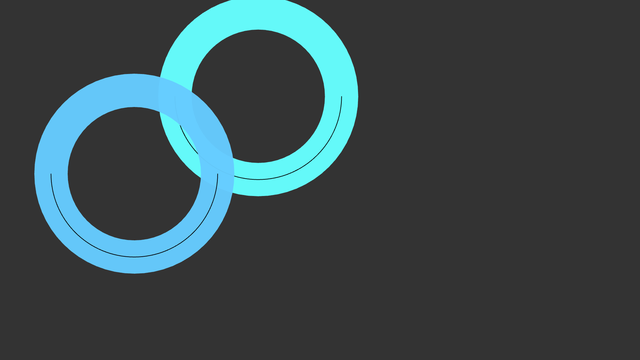
First, we declare our custom widget which we will call DonutWidget. It will override two important functions: renderContent and isInside. The renderContent function is fairly simple. We draw our donut as a circle with some thickness. Inside the circle we draw an arc to be able to visualize rotations. The circle is actually drawn as an arc from zero to two-pi radians:
Now the inner arc of our widget intersects the border of default bounding rectangle in three points: (0, 0.5*width()), 0.5*(width(), width()) and (width(), 0.5*width()). From this, it is easy to see that parts of the donut are not contained in the bounding rectangle (namely outer edge of the donut). To alleviate this we need to override boundingRect-function that returns the correct axis aligned bounding box for the widget. Otherwise our widget would be incorrectly clippend near the borders of window.
Note that overriden versions of isInside and boundingRect do not take the borders of the widget to account. If our widget would have thick enough borders it would be again incorrectly clipped.
Since our widget is no longer a rectangle, we want to override the input handling so that touches only on the donut will affect the widget. We can do this by overriding the isInside function which is used by the input handling to determine whether fingers are touching a widget or not. The implementation for the isInside is simple: we just calculate the inner and outer radius of our donut and compare if the distance from the given point to the center of our widget is between the two radii. If the distance is not between our two radii, the point does not hit the donut.
DonutWidget.hpp:
DonutWidget.cpp:
With our DonutWidget defined, we create a simple application to put two instances of our custom widgets on screen:

