All Classes Namespaces Functions Variables Typedefs Enumerations Enumerator Friends Pages
CustomInputWidgetExample.cpp

In examples like HelloWorldExample.cpp and HelloImagesExample.cpp we used the standard Cornerstone widgets that were simply placed on the display. In this tutorial we are going to write an custom widget of our own. This widget is going to change its color depending on how many fingers are placed on it. We start by declaring a new C++ class that inherits the MultiWidgets::Widget class.
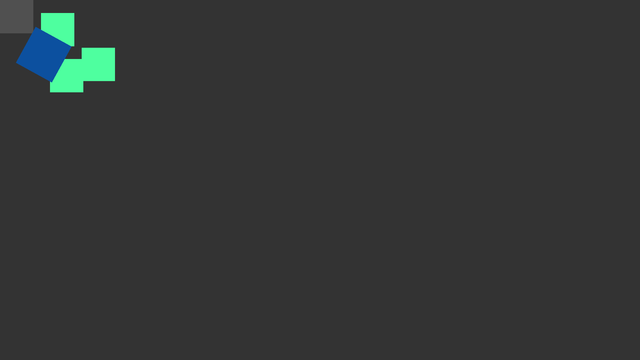
CustomInputWidget-screenshot.png
Screenshot of the CustomInputWidget example

We define a custom class called ColorWidget that is going to contain the special logic we want to add to the widget. In this class we define three functions: the constructor, the destructor, and a virtual function processFingers. This single virtual function is used capture user input. There are several such functions available (for example MultiWidgets::Widget::processHands, MultiWidgets::Widget::singleTap), that tap into different parts of the input processing. We could re-write the input processing completely if necessary, but in this case we only need the finger information. We declare ColorWidget in its header ColorWidget.hpp as shown below:

/* Copyright (C) 2007-2013 Multi Touch Oy, Finland, http://www.multitaction.com
*
* This file is part of MultiTouch Cornerstone.
*
* All rights reserved. You may use this file only for purposes for which you
* have a specific, written permission from Multi Touch Oy.
*
*/
#ifndef CUSTOMWIDGET_COLOR_WIDGET_HPP
#define CUSTOMWIDGET_COLOR_WIDGET_HPP
#include <MultiWidgets/Widget.hpp>
namespace Examples
{
class ColorWidget : public MultiWidgets::Widget
{
public:
ColorWidget();
virtual ~ColorWidget();
protected:
const MultiWidgets::FingerArray & fingers,
float dt) OVERRIDE;
};
}
#endif

Next we implement the functions. The real meat of this class is in the processFingers function, where we implement the color-changing strategy that we have. The default implementation of processFingers performs the scaling, rotating etc. Since we want to rely on these we call MultiWidgets::Widget::processFingers first, and then do our own logic. We have an array of color values that we select from, depending on the number of fingers touching this widget. After eight fingers we start to cycle through the colors. Keep in mind that you cannot assume anything about the number of fingers touching the widget - in a big wall there could ten users touching a single widget at once.

If we would like to reset the ColorWidget color to the original color when there are no more fingers touching the widget, we could override MultiWidgets::Widget::interactionEnd that is called when the last finger is released from the widget.

We define the class in ColorWidget.cpp:

/* Copyright (C) 2007-2013 Multi Touch Oy, Finland, http://www.multitaction.com
*
* This file is part of MultiTouch Cornerstone.
*
* All rights reserved. You may use this file only for purposes for which you
* have a specific, written permission from Multi Touch Oy.
*
*/
#include "ColorWidget.hpp"
#include <MultiWidgets/Plugins.hpp>
namespace Examples
{
ColorWidget::ColorWidget()
: Widget()
{}
ColorWidget::~ColorWidget()
{}
void ColorWidget::processFingers(MultiWidgets::GrabManager & gm,
const MultiWidgets::FingerArray & fingers,
float dt)
{
// We call the base implementation of processFingers so our widget still
// moves like a normal widget
Widget::processFingers(gm, fingers, dt);
static const Radiant::Color colors[8] = {
Radiant::Color("#ffff9f"),
Radiant::Color("#4eff9f"),
Radiant::Color("#0c509f"),
Radiant::Color("#ac009f"),
Radiant::Color("#ff2c9f"),
Radiant::Color("#ffa11d"),
Radiant::Color("#00a1ff"),
Radiant::Color("#00c768")
};
int index = fingers.size() % 8;
setBackgroundColor(colors[index]);
}
WIDGET_PLUGIN(ColorWidget, "Cornerstone.Examples.ColorWidget", "ColorWidget");
}

Now that our custom widget is defined, we have a small main program that puts a few of these widgets on the screen:

/* Copyright (C) 2007-2013 Multi Touch Oy, Finland, http://www.multitaction.com
*
* This file is part of MultiTouch Cornerstone.
*
* All rights reserved. You may use this file only for purposes for which you
* have a specific, written permission from Multi Touch Oy.
*
*/
#include "ColorWidget.hpp"
#include <MultiWidgets/Application.hpp>
int main(int argc, char ** argv)
{
if(!app.init(argc, argv))
return 1;
// Create 5 custom widgets
for(int i = 0; i < 5; i++) {
auto w = MultiWidgets::create<Examples::ColorWidget>();
app.mainLayer()->addChild(w);
// Set widget parameters:
w->setSize(Nimble::SizeF(100, 100));
w->setLocation(Nimble::Vector2(i * 50, i * 50));
}
// Run the application:
return app.run();
}