All Classes Namespaces Functions Variables Typedefs Enumerations Enumerator Friends Pages
AnimationExample.cpp

This example demonstrates how to use the animation API to implement simple animations.
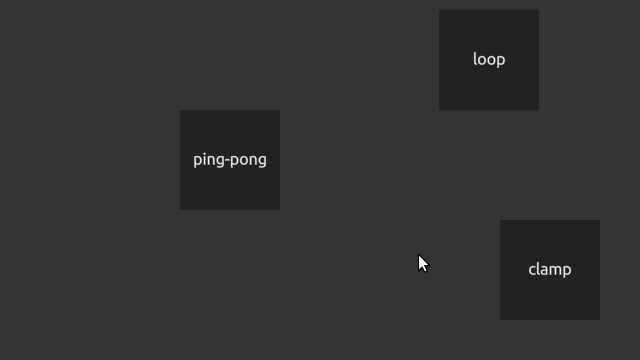
AnimationExample-screenshot.png
Screenshot of the AnimationExample example

First, we create an animation curve and define some key frames in it:

curve0.addKey(0.f, Nimble::Vector2f(100, 10));
curve0.addKey(1.f, Nimble::Vector2f(500, 10));

The MultiWidgets::AnimationCurve requires the type of the variable it is used to animate as a template argument. In the code above, we create an animation curve that is used to animate a two-dimensional vector. We also define two key frames for it: one at time 0.0 seconds where the value is (100, 10) and another key at time 1.0 seconds where the value is (500, 10).

Next, we need to define what parameter a curve animates. For this, we create a MultiWidgets::AnimationClip:

clip0.setCurve("location", curve0);

In the code above, we create an animation clip and set our previously created curve to animate the location parameter. Each MultiWidgets::AnimationClip can contain multiple curves animating different parameters, so you can easily define animation clips that animate multiple parameters simultaneously.

We can also define a looping animation clip by adjusting the wrap mode:

Finally, we add the animation clip to the MultiWidgets::Animation object of the widget we want it to animate and define a name for it that we can use to reference it easier. We do this and play the animation below:

w->animation().addClip("loop-move", clip0);
w->animation().play("loop-move");

Ping-pong animation creation is similar, we just use different animation clip name ("pingpong-move"), different wrap mode (MultiWidgets::AnimationClip::PING_PONG) and we also mix linear and cubic interpolations in the animation curve:

Below is the source code for the entire example with different animation types:

/* Copyright (C) 2007-2013 Multi Touch Oy, Finland, http://www.multitaction.com
*
* This file is part of MultiTouch Cornerstone.
*
* All rights reserved. You may use this file only for purposes for which you
* have a specific, written permission from Multi Touch Oy.
*
*/
#include <MultiWidgets/Application.hpp>
#include <MultiWidgets/TextWidget.hpp>
namespace Examples
{
void testLoop(MultiWidgets::WidgetPtr parent)
{
auto w = MultiWidgets::create<MultiWidgets::TextWidget>();
parent->addChild(w);
curve0.addKey(0.f, Nimble::Vector2f(100, 10));
curve0.addKey(1.f, Nimble::Vector2f(500, 10));
clip0.setCurve("location", curve0);
w->animation().addClip("loop-move", clip0);
w->animation().play("loop-move");
w->setText("loop");
}
void testPingPong(MultiWidgets::WidgetPtr parent)
{
auto w = MultiWidgets::create<MultiWidgets::TextWidget>();
parent->addChild(w);
curve0.addKey(0.f, Nimble::Vector2f(100, 110), MultiWidgets::LINEAR);
curve0.addKey(0.5f, Nimble::Vector2f(250, 110), MultiWidgets::CUBIC);
curve0.addKey(1.0f, Nimble::Vector2f(500, 110));
clip0.setCurve("location", curve0);
w->animation().addClip("pingpong-move", clip0);
w->animation().play("pingpong-move");
w->setText("ping-pong");
}
void testClamp(MultiWidgets::WidgetPtr parent)
{
auto w = MultiWidgets::create<MultiWidgets::TextWidget>();
parent->addChild(w);
curve0.addKey(0.f, Nimble::Vector2f(100, 220));
curve0.addKey(1.f, Nimble::Vector2f(500, 220));
clip0.setCurve("location", curve0);
w->animation().addClip("clamp-move", clip0);
w->animation().play("clamp-move");
w->setText("clamp");
}
}
int main(int argc, char** argv)
{
if(!app.init(argc, argv))
return 1;
Examples::testLoop(app.mainLayer());
Examples::testPingPong(app.mainLayer());
Examples::testClamp(app.mainLayer());
return app.run();
}