This tutorial shows you how to add custom interaction handling to Showcase widgets with an operator plugin. It adds a simple new operator that can be added to standard Showcase content widgets in the Editor. The operator will check if the widget collides with other widgets when user stops interacting with it, and displays an image if it does.
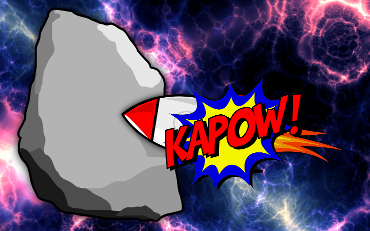
Screenshot of the OperatorExample in action.
We will create a new custom operator and add it as a component to Showcase. First include the necessary header files. This will be an operator component, so include Showcase::OperatorComponent. The operator will display an image when the host widget collides with another widget, so include MultiWidgets::ImageWidget as well.
#include <Showcase/OperatorComponent.hpp>
#include <MultiWidgets/ImageWidget.hpp>
Then create a new operator class by inheriting from MultiWidgets::Operator. We'll override some Operator methods to add our operator functionality, and prepare an attribute to customize the popup image from the Editor. We'll also store a pointer for the popup to be able to remove it when needed.
class OperatorExample : public MultiWidgets::Operator
{
public:
OperatorExample();
virtual void interactionBegin(MultiWidgets::Widget & widget,
MultiWidgets::GrabManager & gm) override;
virtual void interactionEnd(MultiWidgets::Widget & widget,
MultiWidgets::GrabManager & gm) override;
virtual void removed(MultiWidgets::Widget & widget) override;
private:
Valuable::AttributeString m_popupImage;
MultiWidgets::ImageWidgetPtr m_popup;
};
OperatorExample::OperatorExample()
: m_popupImage(this, "popup-image", "operator-example:explosion.png")
{
}
We check for collisions when a user stops interacting with the host widget. Override MultiWidgets::Operator::interactionEnd, find all Image viewers on the Showcase main layer, and check if our widget intersects any of them. If it does, create a MultiWidgets::ImageWidget on top of the host widget.
void OperatorExample::interactionEnd(MultiWidgets::Widget & widget, MultiWidgets::GrabManager &)
{
auto main = Showcase::Showcase::instance()->ui()->mainWidget();
auto widgets = main->find<MultiWidgets::Widget>("ShowcaseImageViewer");
for (auto otherWidget : widgets) {
if (otherWidget == &widget)
continue;
if (widget.intersects(*otherWidget)) {
m_popup = MultiWidgets::create<MultiWidgets::ImageWidget>(main);
m_popup->load(m_popupImage);
m_popup->setOrigin(Nimble::Vector2f(0.5f, 0.5f));
auto onScene = widget.mapToScene(widget.size().toVector() * 0.5f);
auto onMain = main->mapFromScene(onScene);
m_popup->setLocation(onMain);
m_popup->raiseToTop();
break;
}
}
}
We'll remove the image popup when the user next interacts with the widget, or if this operator is removed.
void OperatorExample::interactionBegin(MultiWidgets::Widget &, MultiWidgets::GrabManager &)
{
if (m_popup) {
m_popup->removeFromParent();
m_popup.reset();
}
}
void OperatorExample::removed(MultiWidgets::Widget &)
{
if (m_popup) {
m_popup->removeFromParent();
m_popup.reset();
}
}
We use the convenient SHOWCASE_OPERATOR_COMPONENT macro to define this operator as an operator component in Showcase. It will use the basic Showcase::OperatorComponent as the component class, and Showcase::OperatorInstance as the instance class. When an instance of this component is created, it will create a OperatorExample and attach it to the widget that created it. This component can be referenced with component name operator-example.
SHOWCASE_OPERATOR_COMPONENT("operator-example", OperatorExample)
Next we create the OperatorExample package. Create a directory package under the OperatorExample directory. We want to display an image, so create a data folder, and add explosion.png file in it.
We can also add a screenshot and description to be displayed in the Editor for this component. So add a description.html and operator-example.png in the package directory.
Description.html:
<img src="operator-example.png" />
<p>This is an example of an MT Showcase plugin operator. The operator can be
added to a standard Showcase content widget, such as an Image viewer. When a
user drags the host widget so it collides with an Image viewer, an image popup
is displayed.</p>
Next we define our component. Create a operator-example.schema file under the package directory. Showcase content widgets have a slot for widget-behavior-operator so we will add that role to this operator. We will also want to make the image editable. We added an attribute for the image that is loaded into the popup to the operator class. We will expose this attribute in the Editor by defining the attribute in the schema. We set the attribute type to asset, and add mime filter to only allow images. This will allow content developer to drag an image from the media library to the attribute field.
{
"roles" : [ "widget-behaviour-operator" ],
"description" : "This is a Showcase operator plugin example. This operator displays an image popup when this widget collides with an Image viewer.",
"attributes" : [
{
"attribute-name": "popup-image",
"mime-filters" : [ "image/*" ],
"type" : "asset",
"ui-name": "Popup image",
"default" : "operator-example:explosion.png",
"description": "This operator displays an image popup when the host widget is placed on top of another widget. Choose the image that displays in the popup. Drag the image from the media library into the input box."
}
]
}
Finally we create a package file that ties everything together, call it operator-example.package. We define a name and version for our package, and the single component it adds. We leave required Showcase version as SHOWCASE_VERSION for convenience, so it will work with any version of Showcase without updating the package file. Note that the plugin must still be recompiled when Showcase is updated.
{
"name" : "Operator example",
"package-version" : "1.0.0",
"libraries" : [ "OperatorExample-SHOWCASE_VERSION" ],
"required-showcase-version" : "SHOWCASE_VERSION",
"components" : {
"operator-example" : {
"type" : "ui",
"data-folders" : [ "data" ],
"schema" : "operator-example.schema",
"description" : "description.html",
"ui-name" : "Operator example"
}
}
}
Add the compiled library under the package directory as well. The final structure of the package directory is
package/
├── data
│ └── explosion.png
├── operator-example.package
├── operator-example.schema
├── description.html
├── operator-example.png
└── libOperatorExample-[version].so
Configure Showcase client and server to use plugins as instructed in Getting started. Restart the server and client to load the new plugin. In Showcase Editor, add two images to your app's main layer. Locate the Operator example attribute for both, and configure it. Then run the Showcase client and drag one image on top the other.
Full source code of OperatorExample.cpp:
#include <Showcase/OperatorComponent.hpp>
#include <MultiWidgets/ImageWidget.hpp>
namespace ShowcaseExamples {
class OperatorExample : public MultiWidgets::Operator
{
public:
OperatorExample();
virtual void interactionBegin(MultiWidgets::Widget & widget,
MultiWidgets::GrabManager & gm) override;
virtual void interactionEnd(MultiWidgets::Widget & widget,
MultiWidgets::GrabManager & gm) override;
virtual void removed(MultiWidgets::Widget & widget) override;
private:
Valuable::AttributeString m_popupImage;
MultiWidgets::ImageWidgetPtr m_popup;
};
OperatorExample::OperatorExample()
: m_popupImage(this, "popup-image", "operator-example:explosion.png")
{
}
void OperatorExample::interactionBegin(MultiWidgets::Widget &, MultiWidgets::GrabManager &)
{
if (m_popup) {
m_popup->removeFromParent();
m_popup.reset();
}
}
void OperatorExample::interactionEnd(MultiWidgets::Widget & widget, MultiWidgets::GrabManager &)
{
auto main = Showcase::Showcase::instance()->ui()->mainWidget();
auto widgets = main->find<MultiWidgets::Widget>("ShowcaseImageViewer");
for (auto otherWidget : widgets) {
if (otherWidget == &widget)
continue;
if (widget.intersects(*otherWidget)) {
m_popup = MultiWidgets::create<MultiWidgets::ImageWidget>(main);
m_popup->load(m_popupImage);
m_popup->setOrigin(Nimble::Vector2f(0.5f, 0.5f));
auto onScene = widget.mapToScene(widget.size().toVector() * 0.5f);
auto onMain = main->mapFromScene(onScene);
m_popup->setLocation(onMain);
m_popup->raiseToTop();
break;
}
}
}
void OperatorExample::removed(MultiWidgets::Widget &)
{
if (m_popup) {
m_popup->removeFromParent();
m_popup.reset();
}
}
SHOWCASE_OPERATOR_COMPONENT("operator-example", OperatorExample)
}
 1.8.3.1
