All Classes Namespaces Functions Variables Typedefs Enumerations Enumerator Friends Pages
PenExample.cpp

PenExample shows how to use and track infrared pens with MultiTaction cells and Cornerstone SDK.
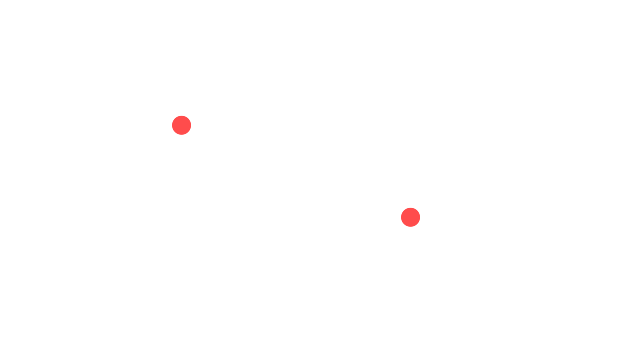
PenExample-screenshot.png
Screenshot of the PenExample demo. Detected pens will show up as red dots.

In Cornerstone 2.0 infrared pens are instances of MultiTouch::Pen. This example is very similar to MarkerExample demo.

Note: You need a configured MultiTaction cell with PenTracking enabled (firmware version 1.9.1-taction13 or newer) and an infrared pen for this example to actually do something. Alternatively you can use virtual pens by pressing 'y' once and then clicking on the screen.

For detecting marker input we need to extend the basic widget functionality by creating a custom widget that inherits from MultiWidgets::Widget. This is called PenVisualizer. This class will override the processPens function and draw colored circles for all detected pens by overriding the renderContent function.

class PenVisualizer : public MultiWidgets::Widget
{
public:
PenVisualizer()
: Widget()
{
}

We store the found pen locations in a private vector which is cleared on every call to the input function. We need to do this because a pen that was visible in the previous sample might not be present any longer:

virtual void processInput(MultiWidgets::GrabManager &, float) OVERRIDE
{
// Clear the saved pens from the previous sample
m_penLocations.clear();
}
private:
std::vector<Nimble::Vector2> m_penLocations;

Function processPens is called with a list of pens that are grabbed by our widget. We iterate all pens:

// Iterate over markers on screen
for(const MultiTouch::Pen & p: pens) {

Pen locations are in screen coordinates, but we want to render those in widget coordinates. The conversion is done by MultiWidgets::GrabManager:

Nimble::Vector2 localCenter = gm.project(p.location());

Next we save the pen locations so we can draw some circles later on:

// Save the location of each pen
m_penLocations.push_back(localCenter);

To render our saved pens we override the renderContent function in which we call the default implementation and our own visualizePens function:

virtual void renderContent(Luminous::RenderContext & r) const OVERRIDE
{
visualizePens(r);
}

In visualizePens we simply draw a colored circle for each pen that we found in the previous input sample. All pen locations are already in local widget coordinates so we don't need to do any coordinate system conversions.

// Render each saved location as a colored circle
const float PEN_SIZE = 10.0f;
for(auto vec2: m_penLocations) {
r.drawCircle(vec2, PEN_SIZE, style);
}

The full source code for the example is listed below:

/* Copyright (C) 2007-2013 Multi Touch Oy, Finland, http://www.multitaction.com
*
* This file is part of MultiTouch Cornerstone.
*
* All rights reserved. You may use this file only for purposes for which you
* have a specific, written permission from Multi Touch Oy.
*
*/
#include <MultiWidgets/Application.hpp>
namespace Examples
{
class PenVisualizer : public MultiWidgets::Widget
{
public:
PenVisualizer()
: Widget()
{
}
virtual void processInput(MultiWidgets::GrabManager &, float) OVERRIDE
{
// Clear the saved pens from the previous sample
m_penLocations.clear();
}
virtual void processPens(MultiWidgets::GrabManager &gm, const MultiWidgets::PenArray &pens, float /*dt*/) OVERRIDE
{
// Iterate over markers on screen
for(const MultiTouch::Pen & p: pens) {
Nimble::Vector2 localCenter = gm.project(p.location());
// Save the location of each pen
m_penLocations.push_back(localCenter);
}
}
virtual void renderContent(Luminous::RenderContext & r) const OVERRIDE
{
visualizePens(r);
}
private:
void visualizePens(Luminous::RenderContext & r) const
{
style.setFillColor(1.0f, 0.3f, 0.3f, 1.0f);
// Render each saved location as a colored circle
const float PEN_SIZE = 10.0f;
for(auto vec2: m_penLocations) {
r.drawCircle(vec2, PEN_SIZE, style);
}
}
private:
std::vector<Nimble::Vector2> m_penLocations;
};
}
int main(int argc, char ** argv)
{
if(!app.init(argc, argv))
return 1;
auto penVisualizer = MultiWidgets::create<Examples::PenVisualizer>();
app.mainLayer()->addChild(penVisualizer);
penVisualizer->setSize(app.mainLayer()->size());
penVisualizer->setFixed();
// Run the application:
return app.run();
}