InputFlags-Example shows how to use widgets InputFlags to modify widgets behaviour.
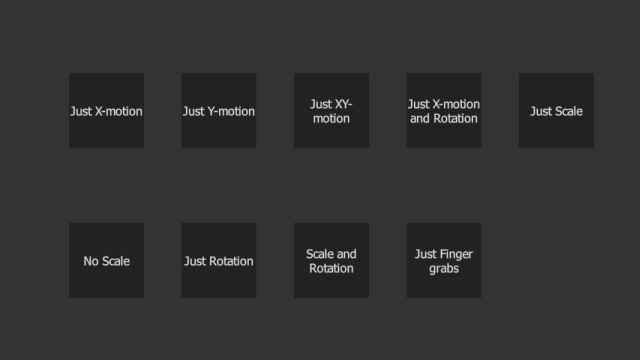
Screenshot of the InputFlags-example.
Our example consists of multiple widgets which each have a limited set of features. These features are controlled by the Widget::InputFlags that are set individually to each widget.
Here widget's setInputFlags-method is used to enable x-motion in the first widget, y-motion to the second, and both for the third one.
auto xw = MultiWidgets::create<MultiWidgets::TextWidget>("Just X-motion");
app.mainLayer()->addChild(xw);
auto yw = MultiWidgets::create<MultiWidgets::TextWidget>("Just Y-motion");
app.mainLayer()->addChild(yw);
auto xyw = MultiWidgets::create<MultiWidgets::TextWidget>("Just XY-motion");
app.mainLayer()->addChild(xyw);
By using the same method and bitwise OR-operation we can set multiple flags at the same time. Following code allows widget to rotate and move in the x-direction.
auto xrw = MultiWidgets::create<MultiWidgets::TextWidget>("Just X-motion and Rotation");
If we want to disable some single behaviour (such as scaling) it is more convienient to use clearInputFlags()-method. This leaves the other functionality intact, while disabling the requested behaviour.
auto nsw = MultiWidgets::create<MultiWidgets::TextWidget>("No Scale");
It is also possible to raise single or multiple flags in case where they have been disabled earlier. This is done by using the raiseInputFlags()-method.
auto srw = MultiWidgets::create<MultiWidgets::TextWidget>("Scale and Rotation");
Besides Widget, also other Cornerstone classes have similar kinds of flags that can be controlled. Here we show class InputGrabber, that can be used to enable / disable some of the grabbing behaviour by specifying a combination of TrackedObjectType flags. In this example we disable grab-events coming from the hands. All other input methods (fingers, pens and markers) are left intact.
auto fw = MultiWidgets::create<MultiWidgets::TextWidget>("Just Finger grabs");
The full source code for the example is listed below:
#include <MultiWidgets/Application.hpp>
#include <MultiWidgets/TextWidget.hpp>
int main(int argc, char** argv)
{
if(!app.
init(argc, argv))
return 1;
auto xw = MultiWidgets::create<MultiWidgets::TextWidget>("Just X-motion");
auto yw = MultiWidgets::create<MultiWidgets::TextWidget>("Just Y-motion");
auto xyw = MultiWidgets::create<MultiWidgets::TextWidget>("Just XY-motion");
auto xrw = MultiWidgets::create<MultiWidgets::TextWidget>("Just X-motion and Rotation");
auto sw = MultiWidgets::create<MultiWidgets::TextWidget>("Just Scale");
auto nsw = MultiWidgets::create<MultiWidgets::TextWidget>("No Scale");
auto rw = MultiWidgets::create<MultiWidgets::TextWidget>("Just Rotation");
auto srw = MultiWidgets::create<MultiWidgets::TextWidget>("Scale and Rotation");
auto fw = MultiWidgets::create<MultiWidgets::TextWidget>("Just Finger grabs");
int x = 200;
int y = 200;
int xmax = 850;
w->setLocation(x, y);
x += 150;
if(x > xmax) {
x = 200;
y += 200;
}
}
}

