In this example we create a widget which spawns a new widget if it is tapped. Also the new widgets create new widgets that spawn widgets. We see how to use event listeners with JavaScript.
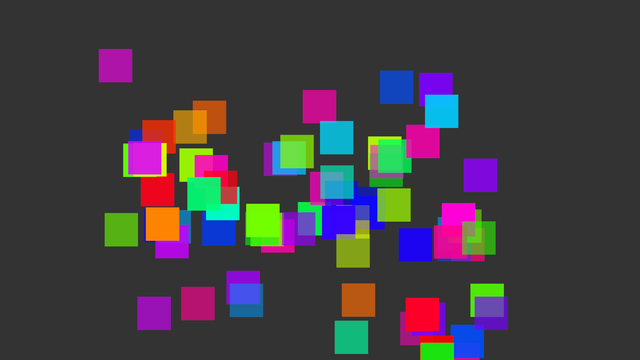
Screenshot of Divide example
The application is quite simple. We define root to be an alias of the main layer of the application and call createWidget-function. The first widget is created to the middle of the screen.
var root = $.app.mainLayer();
createWidget(root.width()/2, root.height()/2, 1.0, 0);
The logic of the program is embedded into createWidget-function. It takes the location, scale and rotation of the widget and creates a new widget given these parameters. After this, random velocity and color is generated and applied for the widget. The callback for the event single-tap set to be a call to createWidget. Finally we make sure that there is at most 100 widgets in the scene and then add the newly created widget into the scene.
function createWidget(x, y, scale, rotation) {
var w = new MultiWidgets.Widget();
w.setRotation(rotation);
w.setScale(scale);
w.setLocation(x, y);
var angle = Math.random()*Math.PI*2.0;
var speed = 500.0 + Math.random()*1200.0;
var vel = new Nimble.Vector2f(Math.cos(angle)*speed, Math.sin(angle)*speed);
w.setVelocity(vel);
var color = new Radiant.Color();
color.setHSVA(Math.random(), 1.0, 1.0, Math.random()*0.5 + 0.5);
w.setBackgroundColor(color);
w.onSingleTap(function() {
createWidget(w.x(), w.y(), w.scale(), w.rotation());
});
removeOld(100);
w.touch();
root.addChild(w);
w.raiseToTop();
}
Search and removal for the oldest widget can be seen from the full source code below:
var root = $.app.mainLayer();
createWidget(root.width()/2, root.height()/2, 1.0, 0);
function removeOld(maxChildren) {
if(root.numChildren() > maxChildren) {
var oldest = root.children().reduce(function(a, b) {
var at = a.lastInteractionTime().secondsD();
var bt = b.lastInteractionTime().secondsD();
return at > bt ? b : a;
});
root.removeChild(oldest);
}
}
function createWidget(x, y, scale, rotation) {
var w = new MultiWidgets.Widget();
w.setRotation(rotation);
w.setScale(scale);
w.setLocation(x, y);
var angle = Math.random()*Math.PI*2.0;
var speed = 500.0 + Math.random()*1200.0;
var vel = new Nimble.Vector2f(Math.cos(angle)*speed, Math.sin(angle)*speed);
w.setVelocity(vel);
var color = new Radiant.Color();
color.setHSVA(Math.random(), 1.0, 1.0, Math.random()*0.5 + 0.5);
w.setBackgroundColor(color);
w.onSingleTap(function() {
createWidget(w.x(), w.y(), w.scale(), w.rotation());
});
removeOld(100);
w.touch();
root.addChild(w);
w.raiseToTop();
}

