The AutoRotate example will show you how to add a simple operator to a widget.
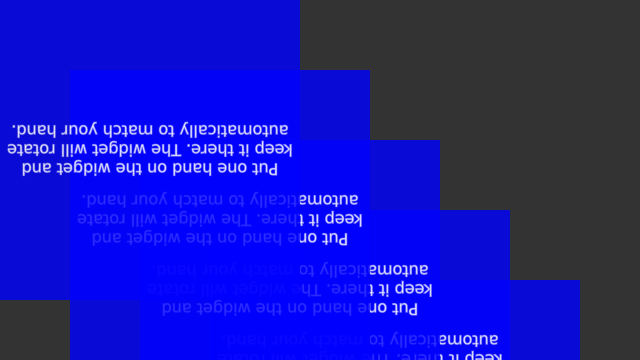
Screenshot of the AutoRotate example, initially widgets are upside down.
We will start by creating five TextWidgets and adding them to the scene.
for(int i = 0; i < 5; i++) {
MultiWidgets::TextWidgetPtr textwidget = MultiWidgets::create<MultiWidgets::TextWidget>(
"Put one hand on the widget and "
"keep it there. The widget will rotate "
"automatically to match your hand.");
app.mainLayer()->addChild(textwidget);
Next we will add a RotateTowardsHandsOperator to each one of the widgets. As the name implies, this operator is used to make widget automatically rotate towards the users hand, if the hand and widget rotation differ enough. Operators are added as shared pointers to make sure that they will get deleted automatically after no longer referenced.
textwidget->addOperator(
std::make_shared<MultiWidgets::RotateTowardsHandsOperator>());
There is no limit how many operators widget can have. See MultiWidgets-namespace for more operators.
The full source code for the application is listed below:
#include <MultiWidgets/Application.hpp>
#include <MultiWidgets/RotateTowardsHandsOperator.hpp>
#include <MultiWidgets/TextWidget.hpp>
int main(int argc, char ** argv)
{
if(!app.
init(argc, argv))
return 1;
for(int i = 0; i < 5; i++) {
MultiWidgets::TextWidgetPtr textwidget = MultiWidgets::create<MultiWidgets::TextWidget>(
"Put one hand on the widget and "
"keep it there. The widget will rotate "
"automatically to match your hand.");
textwidget->addOperator(
std::make_shared<MultiWidgets::RotateTowardsHandsOperator>());
textwidget->setBackgroundColor(0, 0, 1, 0.8f);
textwidget->setSize(300, 300);
textwidget->setLocation(i * 70, i * 70);
}
return 0;
}

